Audio Bible · free for iPhone and iPad
Listen to the Bible,
word by word
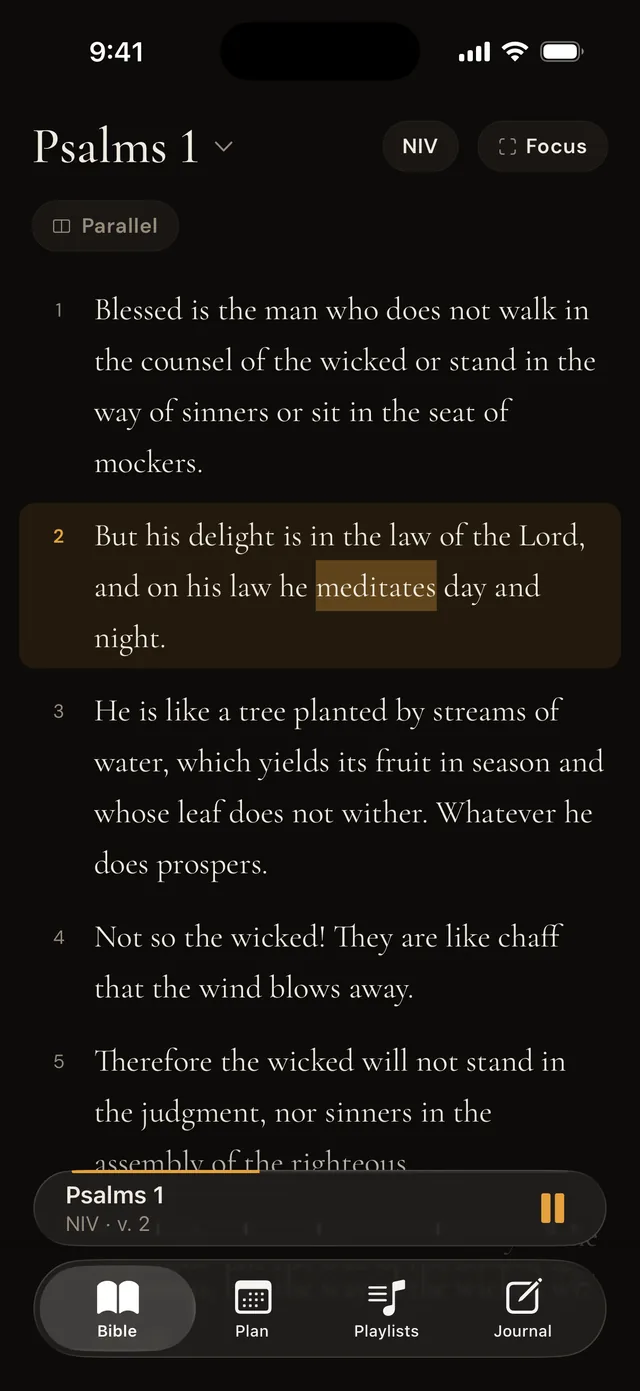
The narration plays and the text follows along, verse by verse, word by word. Repeat a passage until you know it by heart and meditate in English and Portuguese, day and night, online or off.

Free · no ads · iPhone and iPad on iOS 16.4 or later
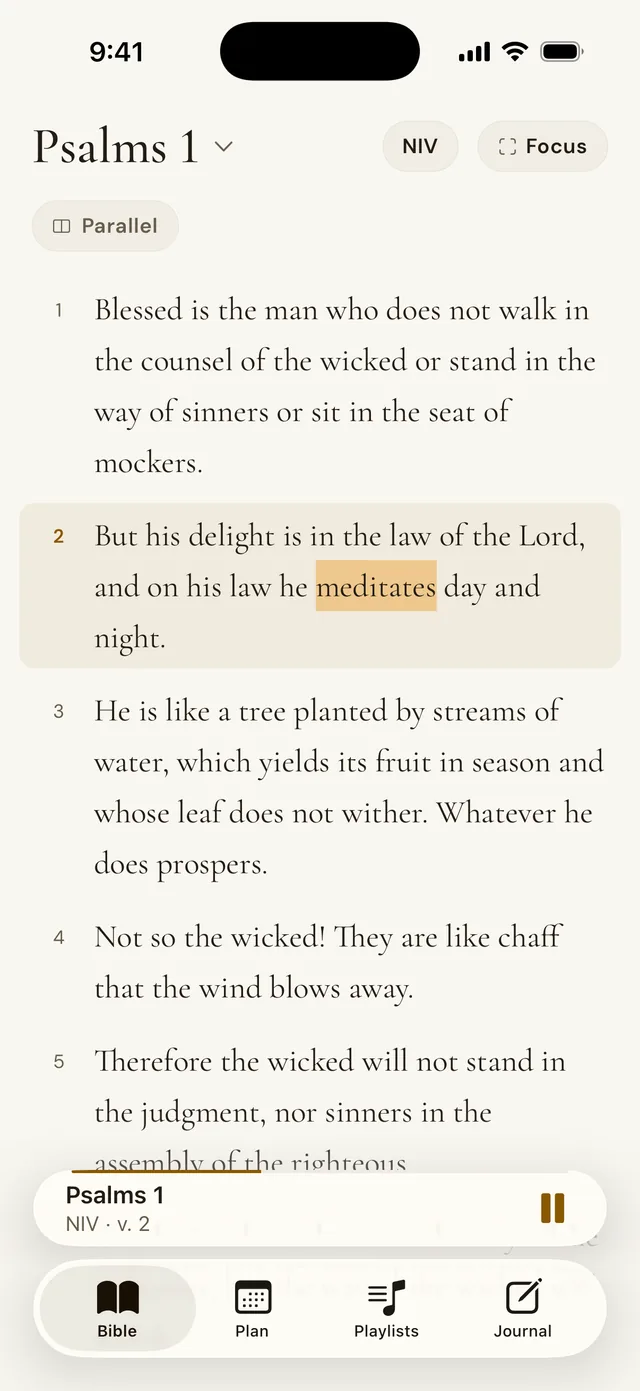
“But his delight is in the law of the Lord, and on his law he meditates day and night.”
Psalm 1:2 · NIV
Why hagah
Hagah is the Hebrew word translated “meditates” in that verse. It describes someone saying the text under their breath, again and again, the way one ruminates, until the Word becomes part of them.
The app grew out of that ancient way of meditating: hearing Scripture again and again, in traffic, on a walk, before sleep. And in two languages, for those who live between English and Portuguese.
Repeat it until you
know it by heart
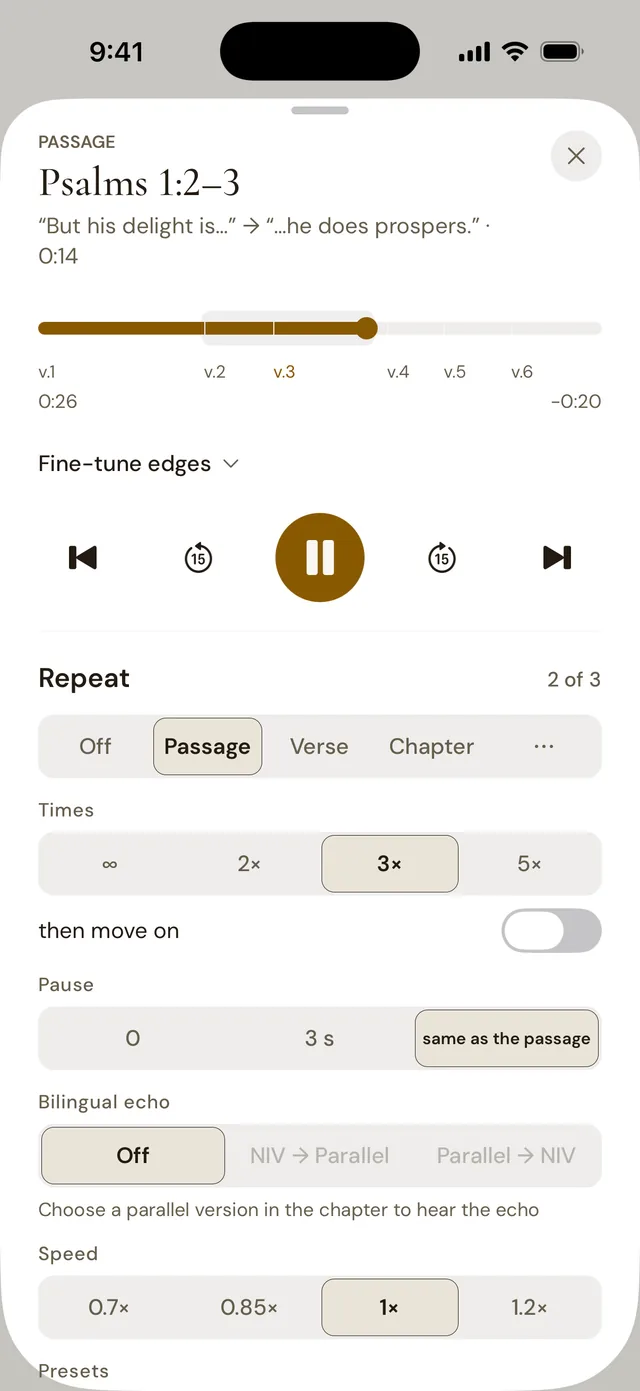
Pick a verse, a passage marked word by word, the chapter or the book. Repeat it endlessly or 2, 3 or 5 times, with a pause between rounds and at the speed you like.
- Step away to hear another part and come back to the passage in one tap
- Passage playlists, with Memorize one tap away
- Study and Sleep presets, with a sleep timer
English & Portuguese,
word by word
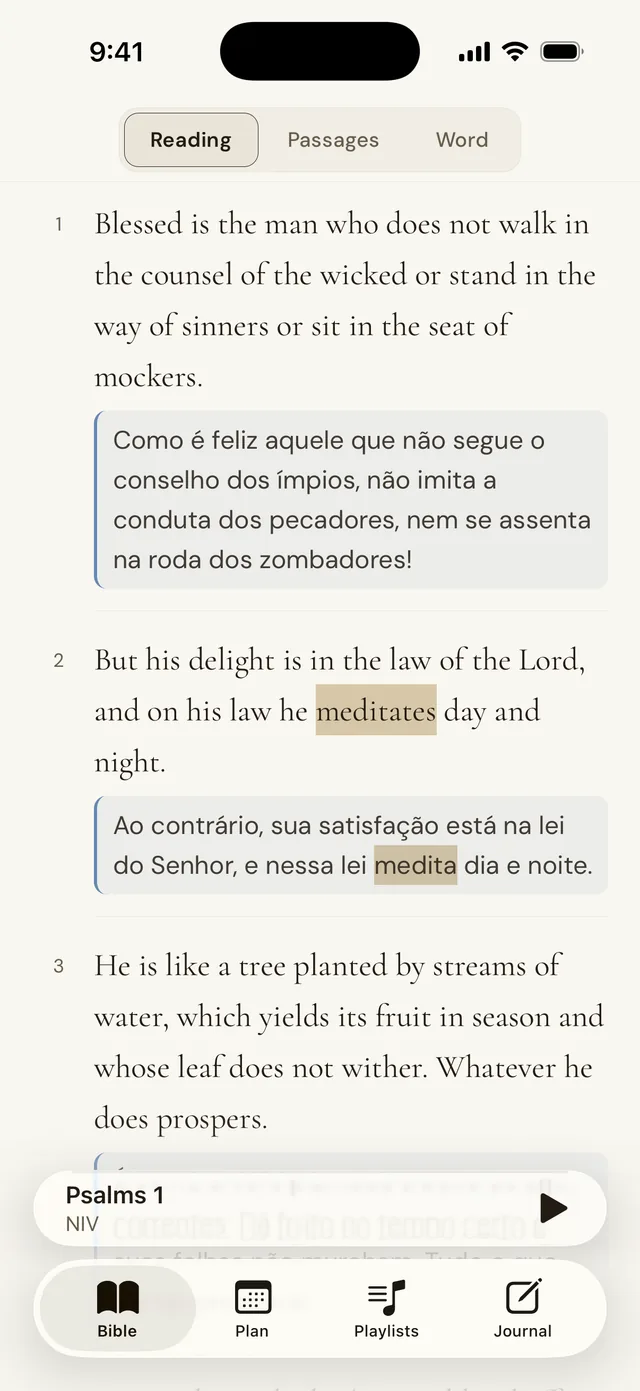
Read the NIV and the NVI side by side and tap a word to see its counterpart in the other version. The Word lens shows the original form (Strong’s number) and a dictionary entry.
- Bilingual echo: each verse in one version, then right away in the other
- Focus mode: one verse per screen, with the translation shown, blurred or hidden
- Passages: blocks of the same color show how the sentences line up
The Bible in a year,
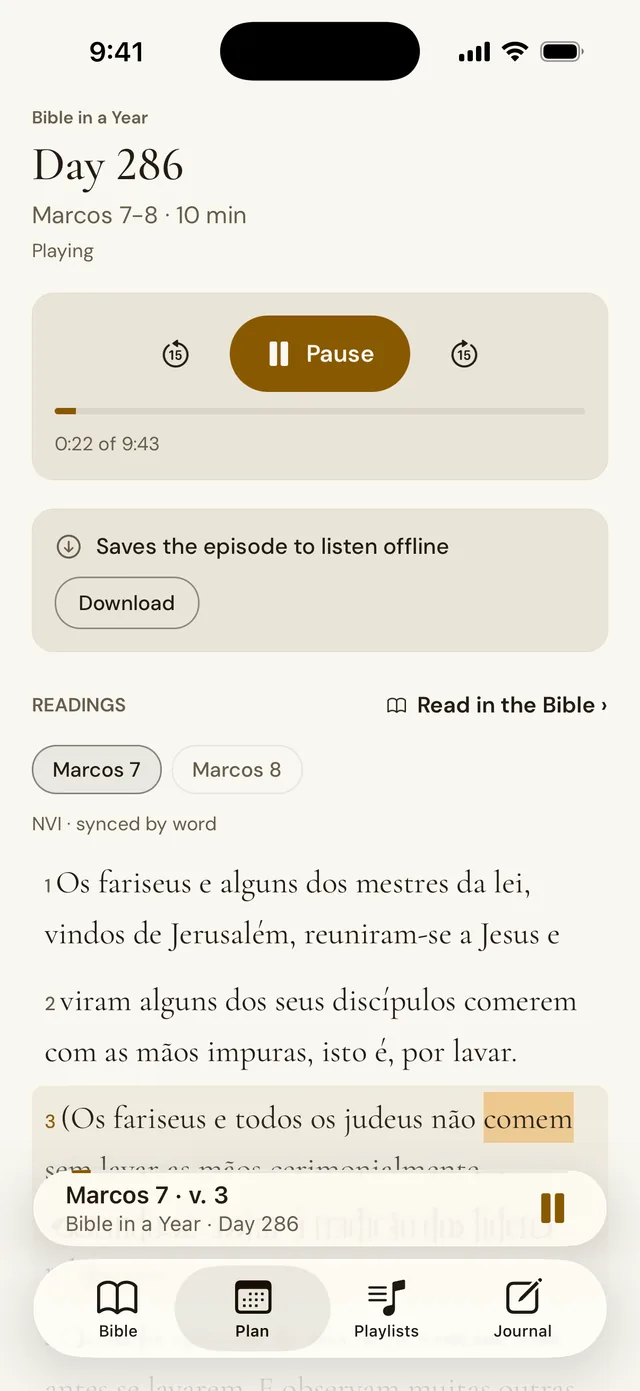
one day at a time
One episode a day of “Bíblia em um ano”, a Portuguese podcast by 4Ventos, with the day’s text following the narration. Your progress is saved and every day can be downloaded to listen offline.
By day
and by night
Paper to read by day, night to listen at night. The narration keeps going with the screen locked, with controls on the lock screen and your headphones, and the sleep timer stops it when you choose.
- Truly offline: save chapters and episodes and use it in airplane mode
- Light, dark or system theme
Your notes,
kept on your device
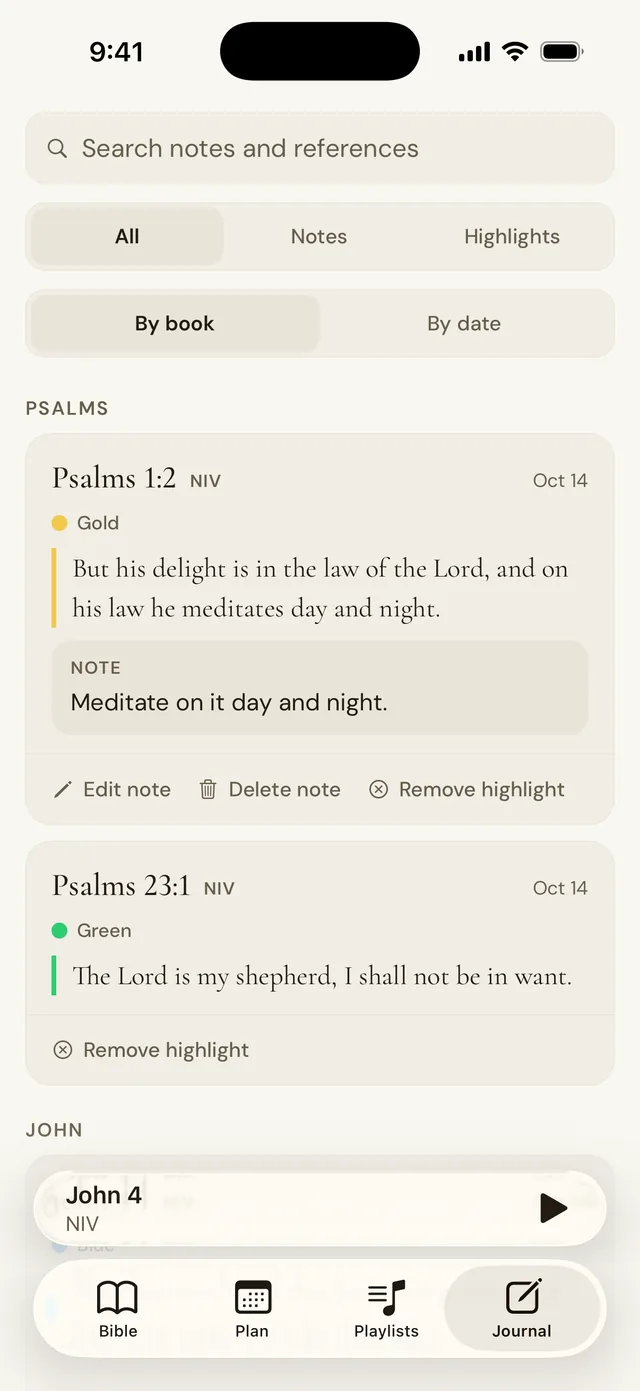
Highlight verses in color, write notes and find everything by book or by date, with search. Signing in is optional: with YouVersion or Apple, your journal syncs across your devices.
Who Hagah is for
- Those who go deeper by earIn traffic, on a walk, doing the dishes: the Word comes in by ear while the text follows on screen.
- Those who live between two languagesBilingual families, international churches and anyone preparing to serve in another country: the same passage in English and in Portuguese.
- Those who want to treasure the WordRepeat a verse until you know it by heart, build passage playlists and come back to them every day.
No distractions. No ads, no in-app purchases, no tracking and no usage analytics.
Questions
How much does it cost?
Nothing. Hagah is free, with no ads and no in-app purchases.
Does it work without internet?
Yes. Save chapters and plan episodes to your device and use everything in airplane mode. Your last read and your preferences stay on the device too.
Is there an Android version?
Not on Google Play yet. On Android or a computer, use Hagah in your browser at hagah.kifactory.app.
Which Bible versions?
The New International Version (NIV), in English, and the Nova Versão Internacional (NVI), in Portuguese, licensed from Biblica through the YouVersion Platform.
Do I need an account?
No. Signing in (YouVersion or, on iPhone, Apple) is optional and only syncs your journal across devices. You can delete the account at any time, inside the app.
Does Hagah collect my data?
The app has no tracking and no usage analytics. The details are in the privacy policy.
Which devices does it run on?
iPhone and iPad on iOS 16.4 or later.

Start with Psalm 1
The first time you open it, Hagah starts at Psalm 1, so you can listen, repeat and meditate on the passage the app is named after.
